> For the complete documentation index, see [llms.txt](https://docs.bloxchain.app/llms.txt). Markdown versions of documentation pages are available by appending `.md` to page URLs; this page is available as [Markdown](https://docs.bloxchain.app/platform-guide/recovery.md).
# Recovery and incidents
Set a Recovery address before you need it, rehearse the recovery path on testnet, and know the first moves when a key is compromised.
**Where:** inside an account → **Policies → Security** · **You need:** owner wallet on Sepolia; a separate cold wallet or trusted party for Recovery; the Recovery wallet itself to start or cancel a transfer of ownership
## What the Recovery role is
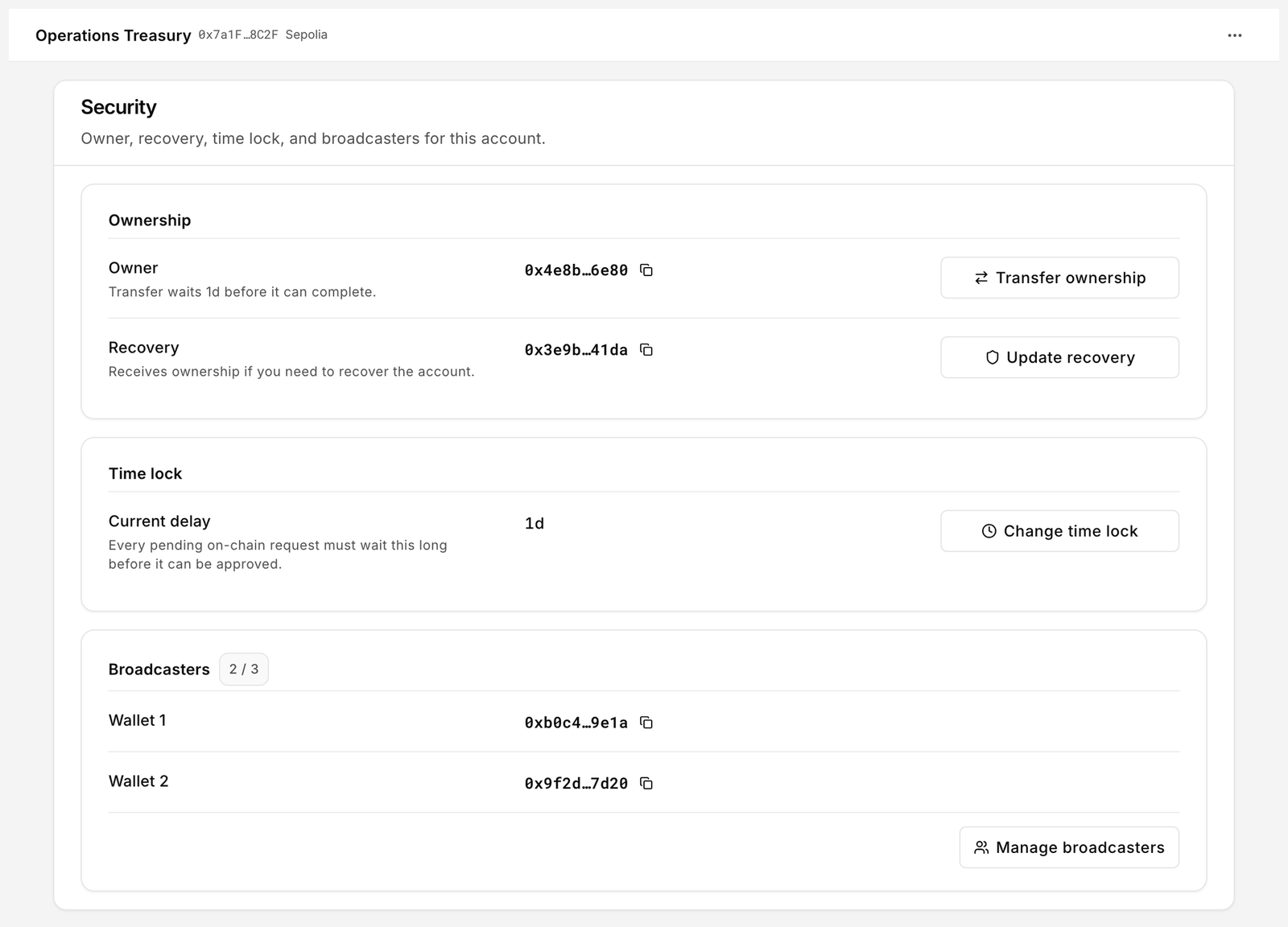
Every smart account has three protected roles set at deploy: **Owner**, **Broadcaster** and **Recovery**. Recovery is a fallback address that can take ownership in an emergency. The Security page describes it as "Receives ownership if you need to recover the account." It has no other power: it cannot spend, approve or change policy while the owner is intact.
Recovery is a role on the contract, enforced on-chain by the Protocol's [SecureOwnable](/protocol-reference/api-reference/secure-ownable.md) pattern. Bloxchain cannot trigger it for you and cannot reset it.
Policies → Security is where Recovery, the time lock and broadcasters live.
## Set or update Recovery
1. Open the account and go to **Policies → Security**.
2. Under Recovery, click **Set recovery** (first time) or **Update recovery**.
3. Enter the new address. It must differ from the owner.
4. Sign in your wallet. Recovery changes are signed meta-transactions; a broadcaster submits them.
Overview shows **Recovery not set** until this is done. Choose a cold wallet or a trusted party that is stored separately from the owner key.
## Practise recovery on testnet
Do this on a disposable Sepolia account before you rely on it.
1. Deploy a test account with a short time lock. Set **Recovery** to a second wallet you control.
2. Fund it with a little test ETH.
3. Disconnect the owner wallet and connect the Recovery wallet.
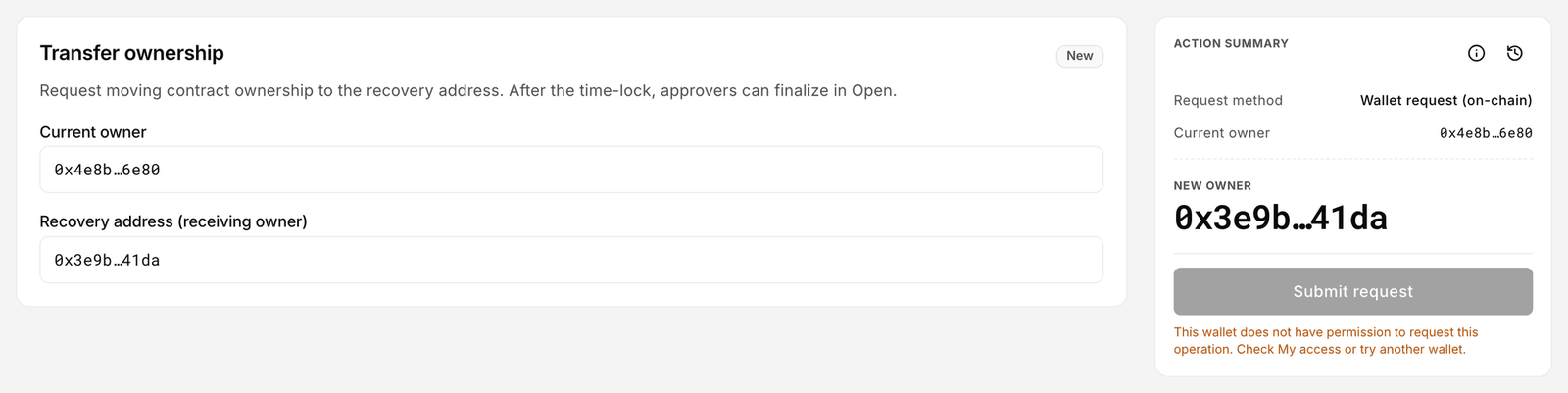
4. Go to **Policies → Security → Transfer ownership** and submit the request. Only the Recovery wallet can raise it, and ownership always moves to the Recovery address as it stood when the request was made. There is no field for a different incoming owner: to hand the account to a fresh key, set that key as Recovery first, then request the transfer.
5. Wait out the time lock, then approve from the owner or the Recovery wallet. Confirm the new owner in Overview and in [My access](/platform-guide/operate/my-access.md).
Document who holds Recovery and when they may use it.
## The time lock is your safety window
Transfer ownership is time-locked: request → wait → approve. The Security page notes "Transfer waits 1d before it can complete." (or whatever delay is set). The same window applies to every delayed request. It is the period in which a compromised or mistaken request can still be cancelled. Set it long enough for a human to notice and short enough that legitimate operations are not blocked. Change it under **Change time lock**.
Transfer ownership is a delayed request: it waits for the time lock before it can be approved.
## When a signer key is compromised
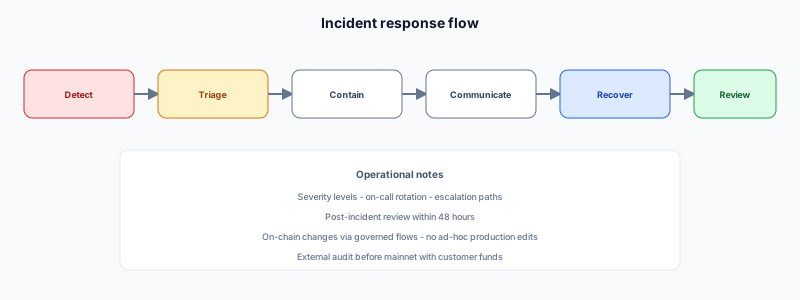
Act in this order. Each step is a governed change signed by an authorised wallet.
| Step | Where | Why |
| ------------------------------------------------- | -------------------------------------------------------------------------------------- | ---------------------------------------------------------------------------- |
| 1. Cancel pending requests from that key | [Approvals](/platform-guide/operate/approvals.md) → open the row → **Cancel** | Stops anything already in the time lock from executing. |
| 2. Remove the key's roles | [Signers](/platform-guide/access/signers.md) → signer drawer → **Manage signer roles** | Ends its ability to request, approve or execute. |
| 3. Rotate the broadcaster if it was one | **Security → Manage broadcasters** | A compromised broadcaster can submit signed payloads it receives. |
| 4. Transfer ownership if the owner is compromised | **Security → Transfer ownership**, from the Recovery wallet only | Moves control to the Recovery address recorded at request time. Time-locked. |
| 5. Review History | [History](/platform-guide/operate/history.md) | Confirm nothing executed that should not have. |
| 6. Delete stale signed transactions | Approvals → Approved tab → **Delete** | Removes stored payloads from this device. |
If the allowlist was wrong, fix it under [Allowlists](/platform-guide/policies/allowlists.md) and audit past executions.
## Back up this device
Recovery of the contract and recovery of your list are different things. The account list, names and custom networks live in this browser. Export them from [Settings → Backup](/platform-guide/settings/backup.md). Losing the device does not lose the contract; you can import the address again.
## Limits
* Bloxchain cannot roll back an executed transaction. Recovery means governed corrective operations and key rotation, not a database restore.
* Recovery can only take ownership. Beyond raising and cancelling the transfer of ownership itself, it cannot cancel requests, change roles or move assets until it becomes the owner.
* Official accounts are non-upgradeable. If you need new logic or a clean boundary, deploy a new account, reconfigure policy, move assets through governed transfers, update integrators and allowlists, then remove the old account's operators.
* Protocol-level vulnerabilities go to [Report vulnerabilities](/security/report-vulnerabilities.md). Freeze operations while you wait.
## After the incident
1. Write down the root cause.
2. Review roles and permissions. See [Design roles and permissions](/guides/roles-and-permissions.md).
3. Re-run the [Help](/platform-guide/help.md) checklist before resuming normal volume.
## Related
* [Security](/platform-guide/policies/security.md)
* [Security model](/security/security-model.md)
* [Known limitations](/security/audit-status/known-limitations.md)
---
# Agent Instructions
This documentation is published with GitBook. GitBook is the documentation platform designed so that both humans and AI agents can read, navigate, and reason over technical content effectively. Learn more at gitbook.com.
## Querying This Documentation
If you need additional information that is not directly available in this page, you can query the documentation by asking a question.
Perform an HTTP GET request on the following URL with the `ask` and `goal` query parameters:
```
GET https://docs.bloxchain.app/platform-guide/recovery.md?ask=&goal=
```
`ask` is the immediate question: it should be specific, self-contained, and written in natural language.
`goal` is what the user is ultimately trying to achieve, the reason they need the answer. Sharing it helps GitBook give you a better, more relevant answer. A goal is most helpful when it describes the outcome the user wants rather than restating the question. For example, with `ask=how do I create an API token`, a goal like `automate deployments from our CI pipeline` lets GitBook tailor the answer to that use case.
The response will contain a direct answer to the question and relevant excerpts and sources from the documentation.
Use this mechanism when the answer is not explicitly present in the current page, you need clarification or additional context, or you want to retrieve related documentation sections.