> For the complete documentation index, see [llms.txt](https://docs.bloxchain.app/llms.txt). Markdown versions of documentation pages are available by appending `.md` to page URLs; this page is available as [Markdown](https://docs.bloxchain.app/platform-guide/settings/networks.md).

# Networks

Add, edit and remove the EVM networks the Platform can read from and ask your wallet to switch to.

**Where:** **Settings → Networks** (or the **This device** badge) · **You need:** the chain id and an RPC URL for the network

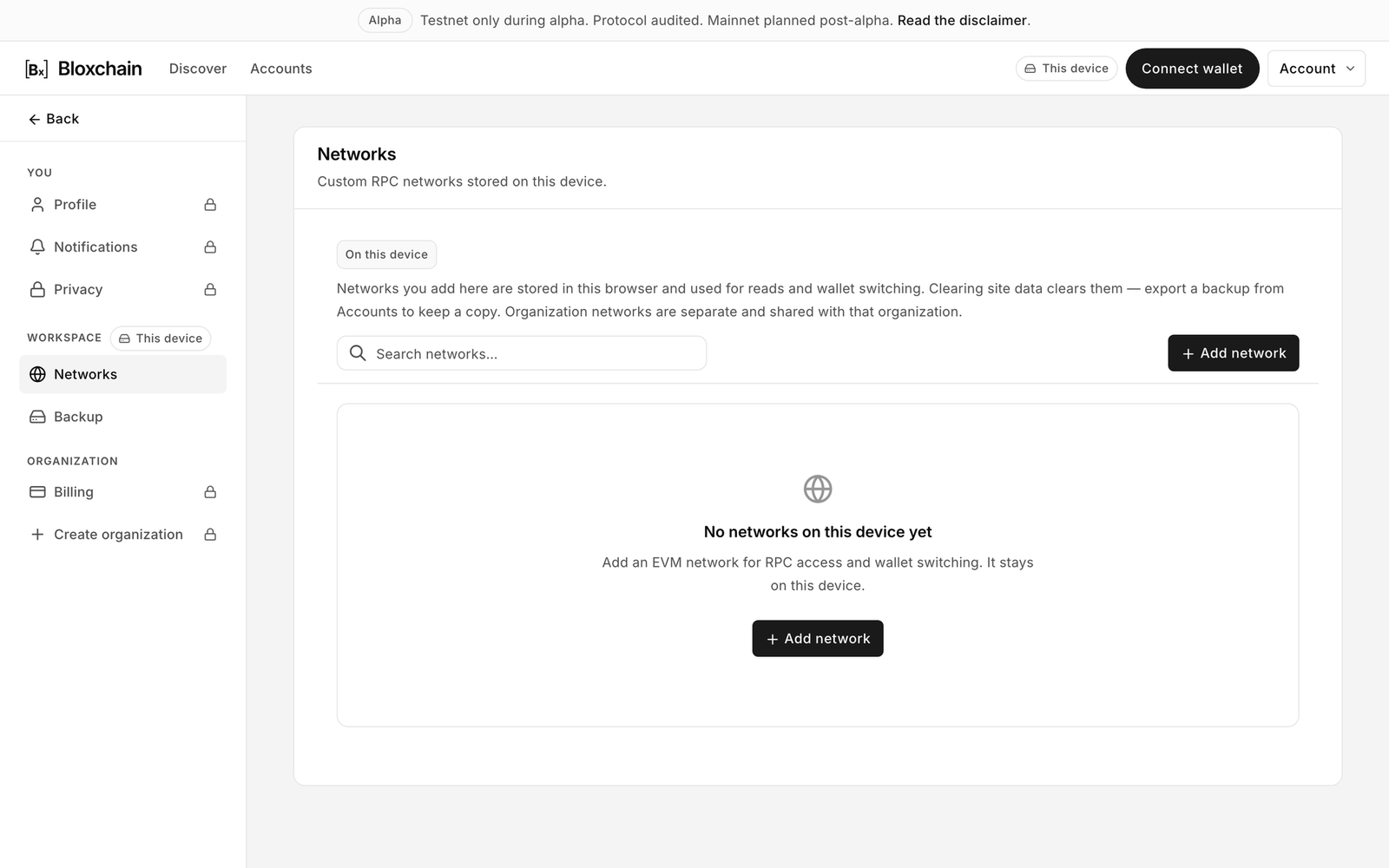
<figure><img src="https://2633730519-files.gitbook.io/~/files/v0/b/gitbook-x-prod.appspot.com/o/spaces%2F0GcVTQuj6X0G3RZ3YY7r%2Fuploads%2Fgit-blob-5813e3f3cbcd8592eea680db6159fb80cf84b64c%2F12-settings-networks.png?alt=media" alt="Settings Networks page, empty, with the Add network button" width="1000"><figcaption><p>Settings → Networks before any custom network is added.</p></figcaption></figure>

## Device networks vs organization networks

The page reads "Custom RPC networks stored on this device." and explains: "Networks you add here are stored in this browser and used for reads and wallet switching. Clearing site data clears them — export a backup from Accounts to keep a copy. Organization networks are separate and shared with that organization."

| Kind                  | Stored       | Who sees it                                                                 |
| --------------------- | ------------ | --------------------------------------------------------------------------- |
| Device networks       | This browser | Only you, on this device. Included in a Backup export.                      |
| Organization networks | Cloud        | Every member of the organization. Managed from the organization's settings. |

Sepolia is built in. You do not need to add it.

## When to add a network

* You deployed the Protocol on a custom EVM chain and want to open accounts there.
* You want the Platform to read through a private RPC of your own rather than a public endpoint.
* Your wallet does not yet know the chain, and you want the Platform to offer it when switching.

## Add a network

<figure><img src="https://2633730519-files.gitbook.io/~/files/v0/b/gitbook-x-prod.appspot.com/o/spaces%2F0GcVTQuj6X0G3RZ3YY7r%2Fuploads%2Fgit-blob-87aa6ceae962024e91795b30e1de60c2b7bffa5d%2F13-add-network.png?alt=media" alt="Add network dialog with Network Name, Chain ID, RPC URL, Block Explorer URL, currency fields and Testnet and Default toggles" width="1000"><figcaption><p>Adding a custom network. Chain ID and RPC URL are what the Platform needs to read an account; there are no official Protocol addresses on a network you add yourself.</p></figcaption></figure>

1. Click **Add network**.
2. Fill in the fields.

| Field                                       | Notes                                                    |
| ------------------------------------------- | -------------------------------------------------------- |
| **Network Name**                            | Shown in pills and filters.                              |
| **Chain ID**                                | Numeric. Must match what the RPC reports.                |
| **RPC URL**                                 | HTTPS endpoint used for reads and offered to the wallet. |
| **Block Explorer URL (Optional)**           | Enables **View on explorer** links.                      |
| **Currency name**, **Symbol**, **Decimals** | The native currency, for example Ether, ETH, 18.         |
| **Testnet**                                 | Marks the network as a test network.                     |
| **Default network**                         | Makes this the network the Platform selects first.       |

3. Click **Add network** (or **Save changes** when editing). The dialog checks the required fields and reports exactly what is missing: "Network name is required", "Chain ID is required", "Chain ID must be a positive number", "RPC URL is required". When you edit a network later, the **Chain ID** field is locked ("Cannot be changed after creation.").

## Manage saved networks

Each row shows **Default** and **Testnet** badges where set, and three controls:

* **Make default** switches the default to this network.
* **Edit** reopens the dialog with the current values.
* **Remove** deletes the network from this device. Accounts on that network stay in your list but cannot be read until the network exists again.

## How it interacts with your wallet

The Platform follows your wallet's chain. When you open an account on a custom network, the footer asks you to switch, and the wallet may prompt to add the network using the details you saved here. Reads do not go through your wallet's RPC: on a custom network the RPC URL you saved here is the endpoint the Platform reads from. Your wallet's provider is used only when you send a transaction.

{% hint style="warning" %}
Only add RPC URLs you trust. A malicious RPC can misreport balances and state. It cannot sign for you, but it can mislead you.
{% endhint %}

## Related

* [Connect a wallet](/platform-guide/connect-wallet.md)
* [Backup and restore](/platform-guide/settings/backup.md)
* [Supported networks](/introduction/supported-networks.md)
* [Organizations and billing](/platform-guide/settings/organizations-and-billing.md)


---

# Agent Instructions
This documentation is published with GitBook. GitBook is the documentation platform designed so that both humans and AI agents can read, navigate, and reason over technical content effectively. Learn more at gitbook.com.

## Querying This Documentation
If you need additional information that is not directly available in this page, you can query the documentation by asking a question.

Perform an HTTP GET request on the following URL with the `ask` and `goal` query parameters:

```
GET https://docs.bloxchain.app/platform-guide/settings/networks.md?ask=<question>&goal=<user_goal>
```

`ask` is the immediate question: it should be specific, self-contained, and written in natural language.
`goal` is what the user is ultimately trying to achieve, the reason they need the answer. Sharing it helps GitBook give you a better, more relevant answer. A goal is most helpful when it describes the outcome the user wants rather than restating the question. For example, with `ask=how do I create an API token`, a goal like `automate deployments from our CI pipeline` lets GitBook tailor the answer to that use case.

The response will contain a direct answer to the question and relevant excerpts and sources from the documentation.

Use this mechanism when the answer is not explicitly present in the current page, you need clarification or additional context, or you want to retrieve related documentation sections.
