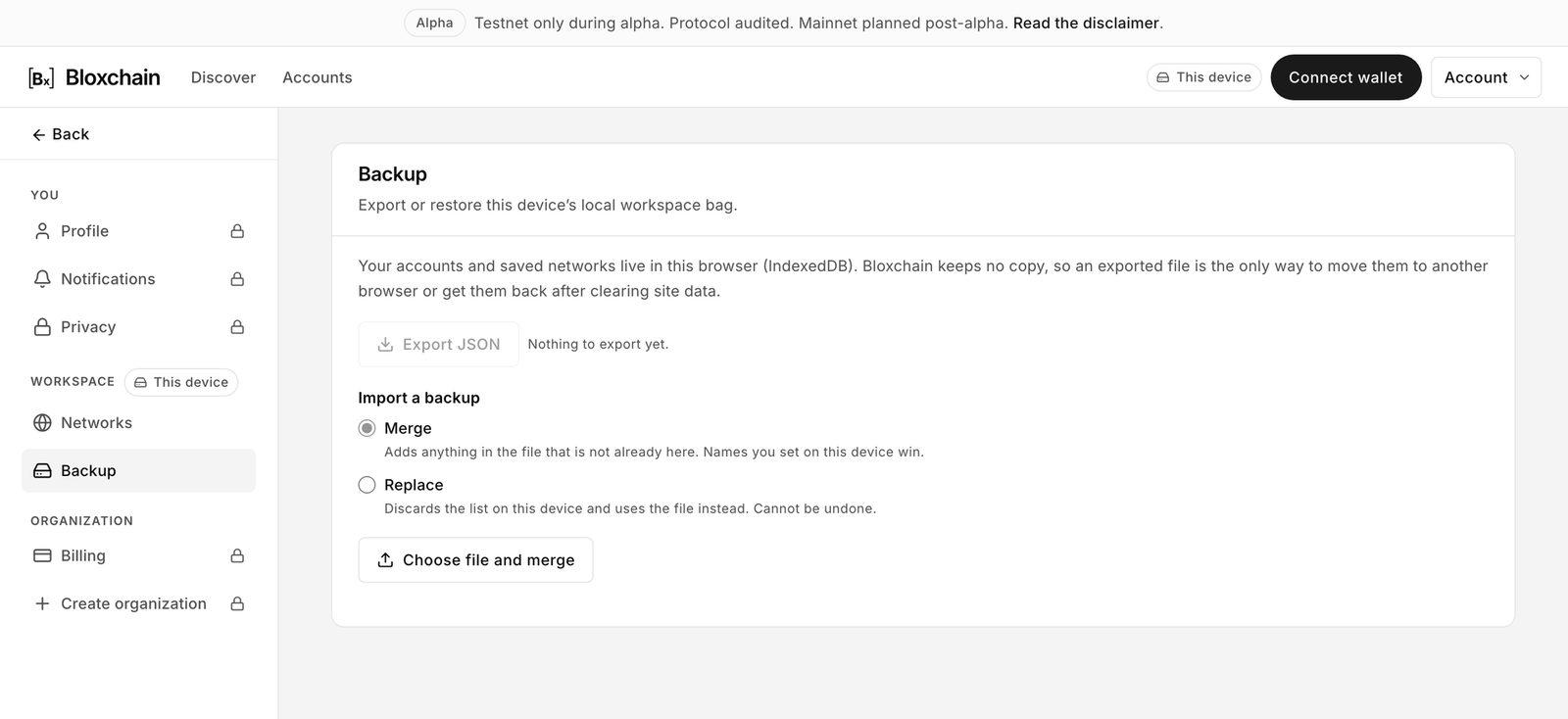
Backup and restore
Export the accounts and networks stored in this browser to a JSON file, and import that file on another browser or device.
Where: Settings → Backup

Why back up
The page explains: "Your accounts and saved networks live in this browser (IndexedDB). Bloxchain keeps no copy, so an exported file is the only way to move them to another browser or get them back after clearing site data."
The export is the only copy. Clearing site data, switching browsers or losing the device removes your list. The smart accounts themselves stay on-chain and can be imported again by address, but names, marks and custom networks are gone unless you have a backup.
Export
Click Export JSON.
Save the file. It is named
bloxchain-local-workspace-YYYY-MM-DD-HH-MM-SS.json.
The file contains your account list (network, address, display name, mark) and your custom networks. It contains no keys, no signatures and no secrets. It is safe to store in ordinary cloud storage, though it does reveal which accounts you track.
Import a backup
Choose one mode, then click Choose file and merge or Choose file and replace.
Merge
"Adds anything in the file that is not already here. Names you set on this device win."
Remove unwanted entries by hand.
Replace
"Discards the list on this device and uses the file instead. Cannot be undone."
None. Export first if in doubt.
Limits
Accounts per file
200
Networks per file
50
File size
4 MB
Error messages
"That file is not valid JSON."
The file could not be parsed at all. Export a fresh file from the Platform.
"That file is not a Bloxchain local workspace backup."
It parsed, but it is not a workspace backup: the expected structure is missing.
"That backup was written by a newer version of Bloxchain (format N). Update this app, then import again."
The file came from a newer build than the one you are running.
"That backup has no accounts or networks this build can read."
Nothing in the file could be read at all.
"That file is too large to be a workspace backup."
Over 4 MB.
Going over the limits above is not an error. Entries past the cap are dropped quietly during the import, and so are individual accounts or networks whose address or chain id is malformed. You only see a message when nothing at all in the file can be read. Check the counts the import reports against what you expected.
Moving to a new browser or device
On the old browser, Export JSON.
Move the file (cloud drive, USB, or send it to yourself).
On the new browser, open bloxchain.app → Settings → Backup and import with Replace (empty device) or Merge (device already has accounts).
Connect your wallet. Roles live on-chain, so nothing else needs to move.
Organization accounts are not in the file. They live in the Cloud and appear when you sign in.
Related
Last updated
Was this helpful?