> For the complete documentation index, see [llms.txt](https://docs.bloxchain.app/llms.txt). Markdown versions of documentation pages are available by appending `.md` to page URLs; this page is available as [Markdown](https://docs.bloxchain.app/platform-guide/policies/security.md).

# Security

Manage the protected roles and the time lock that every other rule on the account depends on.

**Where:** Policies → **Security** · **You need:** owner wallet connected; a broadcaster to submit signed changes; the **Recovery** wallet to start or cancel a transfer of ownership

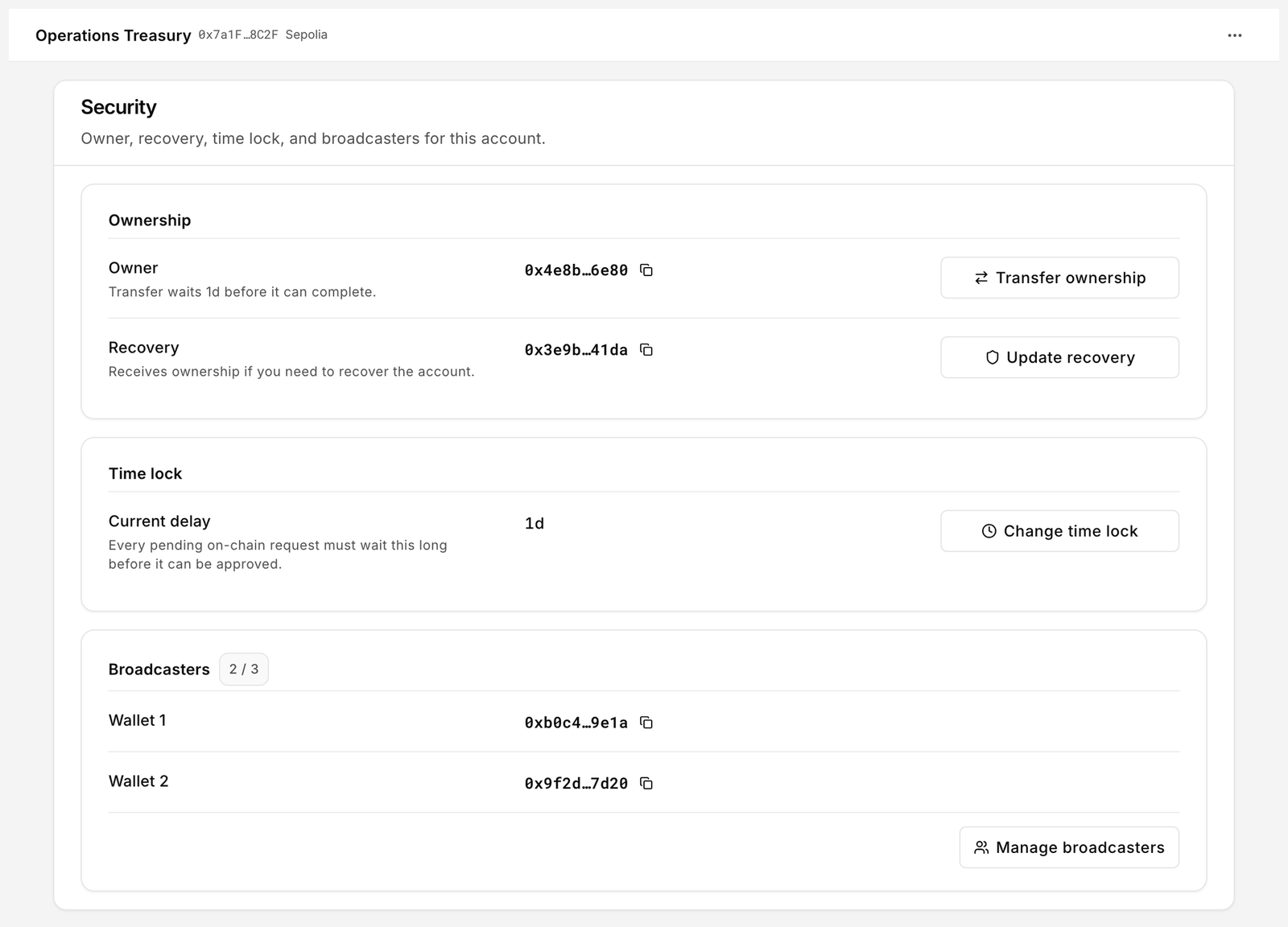
<figure><img src="https://2633730519-files.gitbook.io/~/files/v0/b/gitbook-x-prod.appspot.com/o/spaces%2F0GcVTQuj6X0G3RZ3YY7r%2Fuploads%2Fgit-blob-5c4c067fcf033d03505a8bfb2f8560e68097bc92%2F31-security.png?alt=media" alt="Security page with Ownership, Time lock and Broadcasters cards" width="1000"><figcaption><p>The three protocol security roles and the time lock. These are set at deploy, and changing any of them is itself a governed request that waits out the time lock.</p></figcaption></figure>

## Ownership

**Owner** controls the account: it administers roles and policies and approves delayed requests. **Recovery** "Receives ownership if you need to recover the account." It is the fallback when the owner key is lost or compromised. The two must be different addresses.

### Transfer ownership

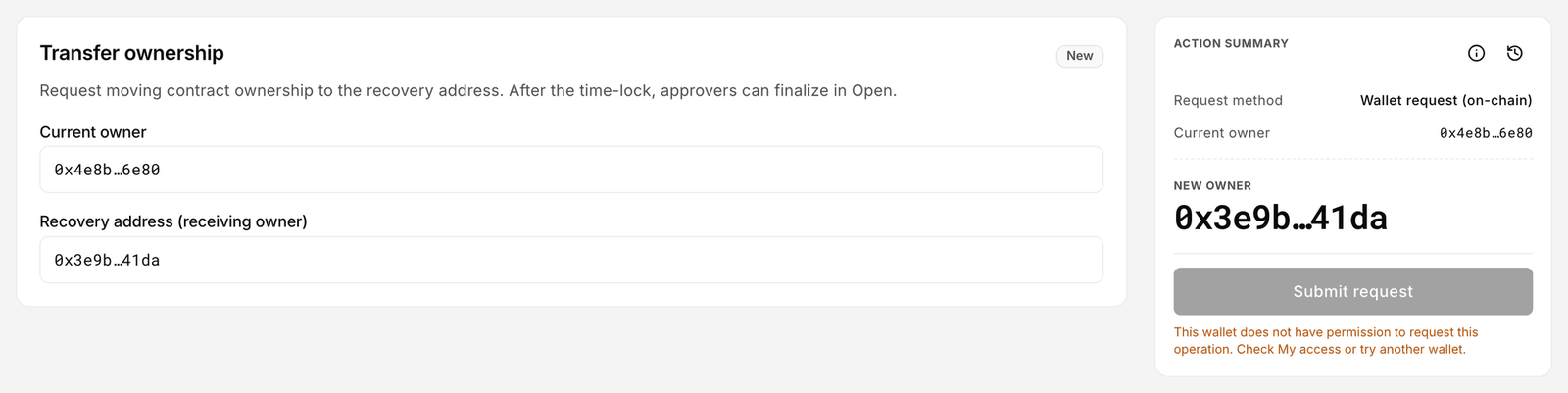
Ownership moves to the **Recovery** address, not to an arbitrary one. The form shows **Current owner** and **Recovery address (receiving owner)**. The transfer is time-locked: "Transfer waits 1d before it can complete." (the delay is your current time lock).

Only the **Recovery** wallet can start the request, and only the Recovery wallet can cancel it. The owner cannot raise a transfer of its own ownership. Either the owner or Recovery may approve it once the delay has run.

<figure><img src="https://2633730519-files.gitbook.io/~/files/v0/b/gitbook-x-prod.appspot.com/o/spaces%2F0GcVTQuj6X0G3RZ3YY7r%2Fuploads%2Fgit-blob-31e765c978616e863ff018b4150b605b5bfd55b8%2F41-transfer-ownership.png?alt=media" alt="Transfer ownership form with Current owner and Recovery address fields and a Submit request button" width="1000"><figcaption><p>Transfer ownership is a delayed request, like any other on-chain request.</p></figcaption></figure>

1. Connect the **Recovery** wallet, click **Transfer ownership**, review both addresses, click **Submit request**.
2. The request appears in [Approvals](/platform-guide/operate/approvals.md) as **Blocked** while the time lock runs.
3. After the delay, the owner or the Recovery wallet opens it and clicks **Approve**. Ownership changes at that moment. **Cancel** is available during the wait, to the Recovery wallet only.

The receiving address is fixed when the request is made. Changing Recovery afterwards does not change a pending transfer.

### Recovery

**Set recovery** (when none is set) or **Update recovery** changes the fallback address. It is a signed meta-transaction: the owner signs, a broadcaster submits. The Overview card shows **Recovery not set** until this is done; treat that as urgent, because without it a lost owner key means a locked account.

## Time lock

**Current delay** is the wait every pending on-chain request must sit through before it can be approved: "Every pending on-chain request must wait this long before it can be approved."

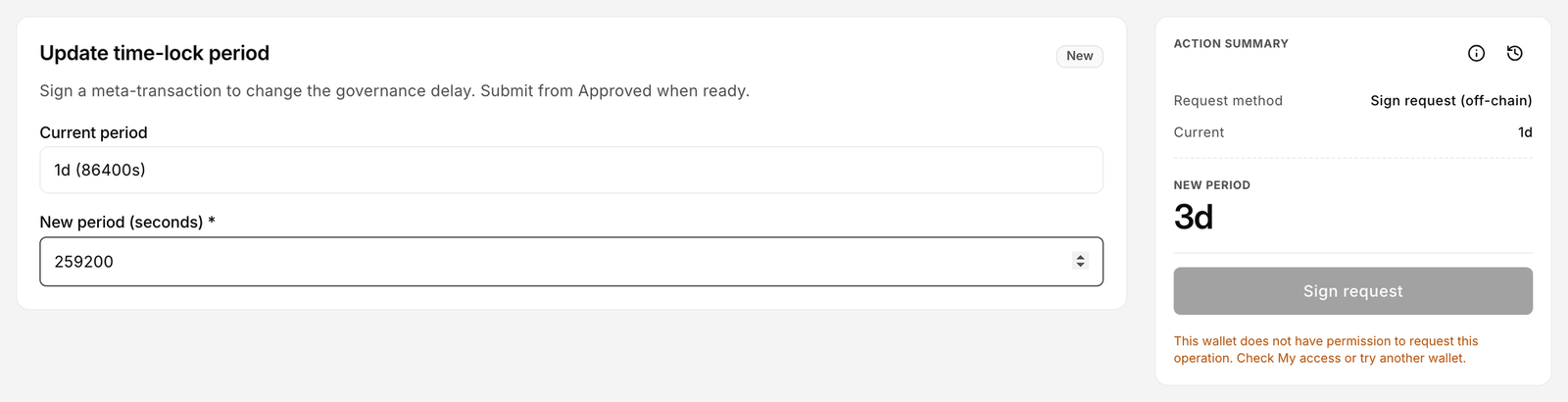
<figure><img src="https://2633730519-files.gitbook.io/~/files/v0/b/gitbook-x-prod.appspot.com/o/spaces%2F0GcVTQuj6X0G3RZ3YY7r%2Fuploads%2Fgit-blob-d305a5f6a09c39dfa868de444a8deb4285f7f0a9%2F42-change-time-lock.png?alt=media" alt="Change time lock form with amount and unit fields" width="1000"><figcaption><p>Changing the time lock. The new period applies to requests made after the change; anything already waiting keeps the delay it started with.</p></figcaption></figure>

### What the delay protects

The delay is the window in which a request can be cancelled. If a signer's key is misused, the time lock is what gives an approver time to notice the request in Approvals and click **Cancel** before anything moves. A longer delay means more safety and slower operations; pick it for the value at risk.

### Change it

1. Click **Change time lock**.
2. Enter an amount and a unit (**Minutes**, **Hours**, **Days**). The value must be greater than zero. Accounts deployed with the **Web3** shell require at least 1 day.
3. Sign; a broadcaster submits.

The new delay applies to requests made after the change. Requests already waiting keep the delay they started with.

## Broadcasters

Broadcasters are the 1 to 3 addresses that may submit signed meta-transactions for this account and pay the gas. They are the wallets that click **Execute** on the [Approved](/platform-guide/operate/approvals.md#execute-a-signed-transaction) tab, and they submit every signed configuration batch. The button reads **Manage broadcasters** whenever at least one broadcaster is set, and **Add broadcaster** only while the account has none. It adds, replaces or removes an address.

A broadcaster must be a different address from the owner. The owner authorises by signing; the broadcaster submits. If the same key did both, a compromised broadcaster key would also be a compromised owner, and the signed path would offer no separation. Deploy validation enforces this: "Broadcasters and recovery must use different addresses (up to 3 broadcasters)."

## How each change is executed

| Change                 | Mechanism                                                    | Who acts                                                                                   |
| ---------------------- | ------------------------------------------------------------ | ------------------------------------------------------------------------------------------ |
| Transfer ownership     | Time-locked request → wait → approve                         | Recovery requests; owner or Recovery approves after the delay; only Recovery can cancel    |
| Set or update recovery | Signed meta-transaction                                      | Owner signs; broadcaster submits                                                           |
| Change time lock       | Signed meta-transaction                                      | Owner signs; broadcaster submits                                                           |
| Manage broadcasters    | Request → approve, as a delayed release or a signed approval | Owner requests; owner approves after the delay, or signs an approval a broadcaster submits |

Recovery and time lock changes are single-signature: one signed meta-transaction requests and approves in the same step, so there is nothing to wait for and nothing sits in the queue. Ownership and broadcaster changes are not. Each opens a pending record that waits in [Approvals](/platform-guide/operate/approvals.md) for a separate approval, so a broadcaster change is never one signed message on its own.

Where a change is signed and then submitted, the signed item sits on the Approved tab of Approvals until a broadcaster executes it. You can move it between devices as a [signed file](/platform-guide/operate/signed-files.md).

## Related

* [Recovery and incidents](/platform-guide/recovery.md)
* [Security model](/security/security-model.md)
* [Limits and defaults](/resources/limits-and-defaults.md)
* [SecureOwnable (Protocol)](/protocol-reference/api-reference/secure-ownable.md)


---

# Agent Instructions
This documentation is published with GitBook. GitBook is the documentation platform designed so that both humans and AI agents can read, navigate, and reason over technical content effectively. Learn more at gitbook.com.

## Querying This Documentation
If you need additional information that is not directly available in this page, you can query the documentation by asking a question.

Perform an HTTP GET request on the following URL with the `ask` and `goal` query parameters:

```
GET https://docs.bloxchain.app/platform-guide/policies/security.md?ask=<question>&goal=<user_goal>
```

`ask` is the immediate question: it should be specific, self-contained, and written in natural language.
`goal` is what the user is ultimately trying to achieve, the reason they need the answer. Sharing it helps GitBook give you a better, more relevant answer. A goal is most helpful when it describes the outcome the user wants rather than restating the question. For example, with `ask=how do I create an API token`, a goal like `automate deployments from our CI pipeline` lets GitBook tailor the answer to that use case.

The response will contain a direct answer to the question and relevant excerpts and sources from the documentation.

Use this mechanism when the answer is not explicitly present in the current page, you need clarification or additional context, or you want to retrieve related documentation sections.