> For the complete documentation index, see [llms.txt](https://docs.bloxchain.app/llms.txt). Markdown versions of documentation pages are available by appending `.md` to page URLs; this page is available as [Markdown](https://docs.bloxchain.app/platform-guide/policies/allowlists.md).

# Allowlists

Limit where the account's money and calls can go: which addresses may receive native transfers or payments, and which contract functions the account may call.

**Where:** Policies → ALLOWLISTS: **Allowed recipients**, **Allowed payees**, **Allowed contracts** · **You need:** owner wallet connected

## The three lists

| Rail item              | Page title            | Controls                                                                                                                                       | Used by                                                                                         |
| ---------------------- | --------------------- | ---------------------------------------------------------------------------------------------------------------------------------------------- | ----------------------------------------------------------------------------------------------- |
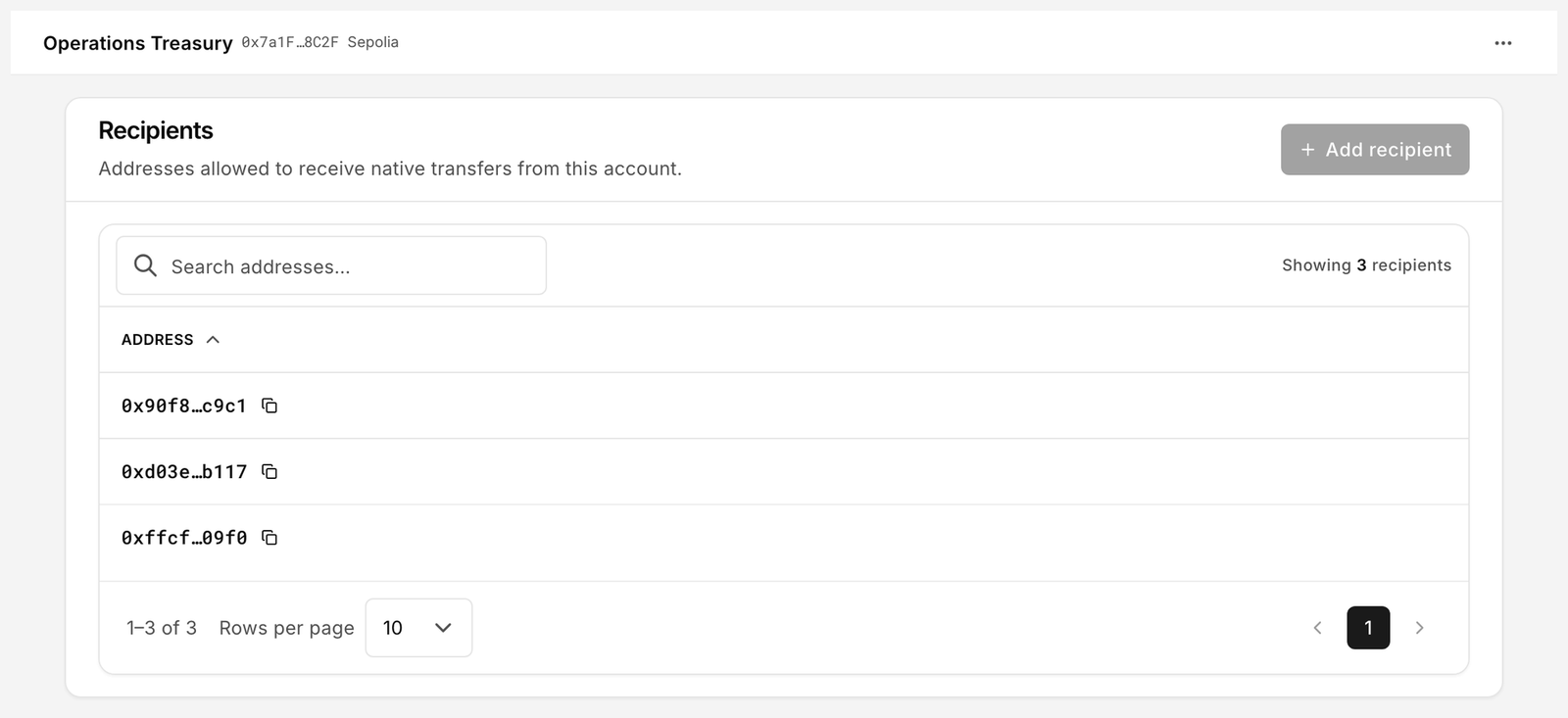
| **Allowed recipients** | **Recipients**        | "Addresses allowed to receive native transfers from this account."                                                                             | `NATIVE_TRANSFER` (`__bloxchain_native_transfer__()`)                                           |
| **Allowed payees**     | **Payees**            | "Addresses allowed as payout destinations for attached payments."                                                                              | `ATTACHED_PAYMENT_RECIPIENT`, for actions that carry an attached payment                        |
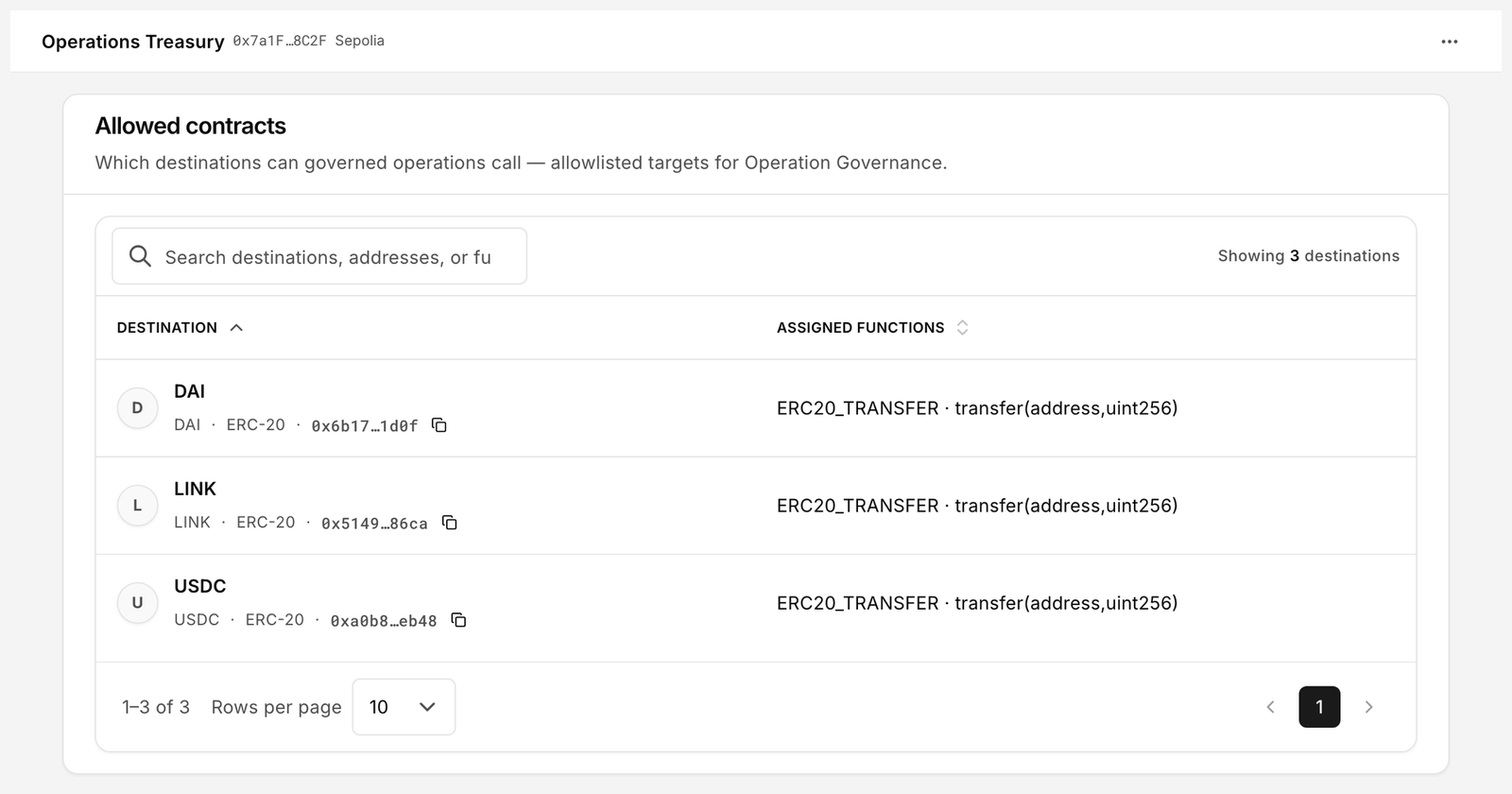
| **Allowed contracts**  | **Allowed contracts** | "Which destinations can governed operations call — allowlisted targets for Operation Governance." Each destination has **Assigned functions**. | `ERC20_TRANSFER` (token contracts), `CONTROLLER_OPERATION` (governed execution), custom actions |

An empty list means nothing is allowed. There is no wildcard. A request to a destination that is not listed is rejected by the contract, and the Platform will not even offer it: the **Recipient** dropdown in [New request](/platform-guide/operate/new-request.md) only shows allowlisted addresses.

## Recipients and payees

<figure><img src="https://2633730519-files.gitbook.io/~/files/v0/b/gitbook-x-prod.appspot.com/o/spaces%2F0GcVTQuj6X0G3RZ3YY7r%2Fuploads%2Fgit-blob-04598799dab91f3ebff8fb8d7e5c6961d436b829%2F35-allowed-recipients.png?alt=media" alt="Recipients page listing allowlisted addresses with an Add recipient button" width="1000"><figcaption><p>The recipient allowlist. Native transfers may only go to an address on this list, and an empty list allows nothing at all.</p></figcaption></figure>

1. Click **Add recipient** (or **Add payee**).
2. Enter the address.
3. Confirm. The change joins a signed batch.

To remove entries, tick one or more rows and use the bulk action, then sign. It is labelled **Remove recipients** on the recipients list and **Remove payees** on the payees list.

## What an attached payment is

**Allowed payees** only makes sense once you know what it guards, and nothing else on the Platform explains it, so here it is.

An attached payment is a payout that rides along with a request. The request carries a recipient, an optional amount of the native coin, and an optional ERC-20 token and amount. When the request executes, the account first does the thing it was for, then settles the payout to that recipient in the same transaction. It is one governed request, not two.

That makes it useful for anything where doing the work and paying for it should be approved together: paying a supplier as part of releasing their goods, settling a fee when a contract call runs, paying out on an action rather than in a separate transfer that someone could forget or approve differently.

Because the payout leaves the account, it is policed like any other movement of value:

* The **recipient** must be on **Allowed payees**. An empty list allows nothing, so an account that has never configured payees cannot make an attached payment at all.
* If the payout is in a token, the **token contract** must also be on **Allowed contracts**. Both checks must pass.
* The account must actually hold the balance. If it does not, the whole request reverts, including the part that had nothing to do with the payment.

The record moves through a distinct payment status while the payout settles, which is what stops a recipient contract from re-entering the account part-way through.

## Allowed contracts

<figure><img src="https://2633730519-files.gitbook.io/~/files/v0/b/gitbook-x-prod.appspot.com/o/spaces%2F0GcVTQuj6X0G3RZ3YY7r%2Fuploads%2Fgit-blob-1b024c6e71068e703ab466fe83ad5baa5ad38785%2F36-allowed-contracts.png?alt=media" alt="Allowed contracts page with Destination and Assigned functions columns and a Remove destinations button" width="1000"><figcaption><p>Allowed contracts: destination plus the functions the account may call there.</p></figcaption></figure>

A contract allowlist entry is a pair: a **Destination** address and the **Assigned functions** the account may call on it. Listing a token contract with `transfer(address,uint256)` lets the account send that token; it does not let the account call anything else on the contract.

1. Click the add control for a destination.
2. Enter the contract address.
3. Assign one or more registered functions to it. Only functions that exist as [Actions](/platform-guide/policies/actions.md) can be assigned.
4. Confirm and sign.

**Remove destinations** removes the selected rows. Clear any pending requests that target a destination before you remove it; a pending request whose target has been delisted cannot be cancelled or completed until the target is listed again.

Tokens on this list are also the tokens that appear on the [Assets](/platform-guide/operate/assets.md) page.

## Who can edit

Allowlists are guard configuration on the account contract. Adding or removing entries needs a wallet that may sign guard configuration changes, which is the owner. Edits collect into a batch; you **Sign** it and a broadcaster **Executes** it. Until then the list shows the old state and the batch sits in Approvals.

## Readiness

The action drawer's **Related setup** card reports the allowlist for that action: **Recipients** for native transfers ("Recipient allowlist is configured.") or **Targets** for contract calls ("Contract target allowlist is configured."). While the list is empty, the action stays **Flow incomplete** with the alert "Denied by default until permissions and allowlist are configured." and the **Open Recipients →** shortcut brings you here.

## Good practice

* Add one recipient, test a small transfer, then add the rest.
* Keep the list short. Every address on it is an address a compromised requester could target, subject to the time lock.
* Review the list when people or counterparties change; removal is a signed batch, not an emergency stop. The time lock and **Cancel** in Approvals are your emergency stop.

## Related

* [Policies overview](/platform-guide/policies.md)
* [Guard controller (Protocol)](/protocol-reference/api-reference/guard-controller.md)


---

# Agent Instructions
This documentation is published with GitBook. GitBook is the documentation platform designed so that both humans and AI agents can read, navigate, and reason over technical content effectively. Learn more at gitbook.com.

## Querying This Documentation
If you need additional information that is not directly available in this page, you can query the documentation by asking a question.

Perform an HTTP GET request on the following URL with the `ask` and `goal` query parameters:

```
GET https://docs.bloxchain.app/platform-guide/policies/allowlists.md?ask=<question>&goal=<user_goal>
```

`ask` is the immediate question: it should be specific, self-contained, and written in natural language.
`goal` is what the user is ultimately trying to achieve, the reason they need the answer. Sharing it helps GitBook give you a better, more relevant answer. A goal is most helpful when it describes the outcome the user wants rather than restating the question. For example, with `ask=how do I create an API token`, a goal like `automate deployments from our CI pipeline` lets GitBook tailor the answer to that use case.

The response will contain a direct answer to the question and relevant excerpts and sources from the documentation.

Use this mechanism when the answer is not explicitly present in the current page, you need clarification or additional context, or you want to retrieve related documentation sections.