> For the complete documentation index, see [llms.txt](https://docs.bloxchain.app/llms.txt). Markdown versions of documentation pages are available by appending `.md` to page URLs; this page is available as [Markdown](https://docs.bloxchain.app/platform-guide/operate/new-request.md).

# New request

Start a governed operation: pick what you want to do, fill in the details, then either post the request on-chain or sign it for later submission.

**Where:** Account → **+ New request** (or **Send** on Overview and Assets) · **You need:** wallet connected to the account's network; test ETH for gas when using Wallet

## Step 1: choose a type

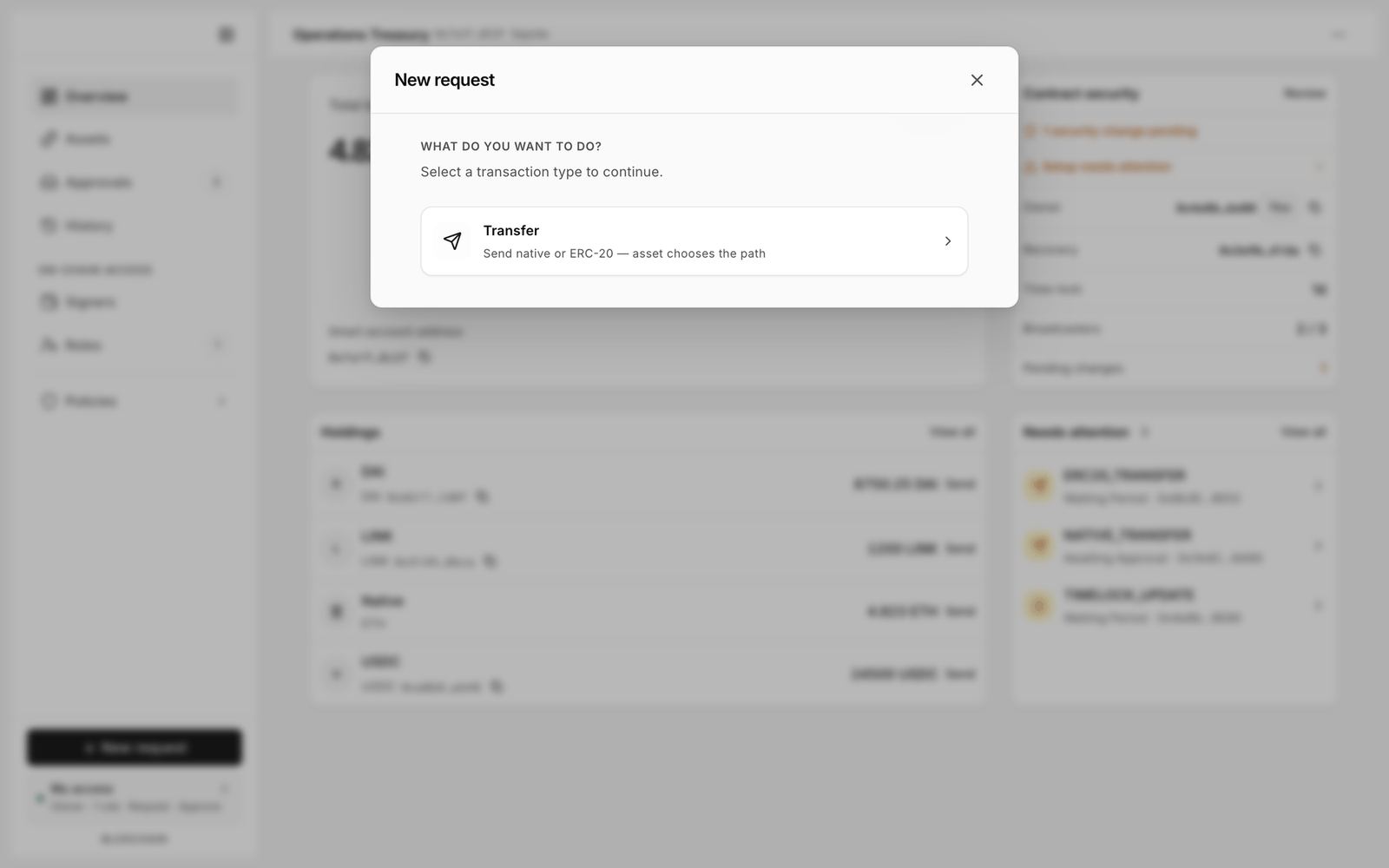
<figure><img src="https://2633730519-files.gitbook.io/~/files/v0/b/gitbook-x-prod.appspot.com/o/spaces%2F0GcVTQuj6X0G3RZ3YY7r%2Fuploads%2Fgit-blob-db7f6c04e47a2933810816d981754228a74d9cd2%2F25-new-request.png?alt=media" alt="New request dialog asking what you want to do, with a single Transfer card reading Send native or ERC-20" width="1000"><figcaption><p>"What do you want to do? Select a transaction type to continue." This account has registered no mint or burn function, so only the Transfer card appears.</p></figcaption></figure>

| Card           | What it does                                                                                                                                                                                                                                                                                     |
| -------------- | ------------------------------------------------------------------------------------------------------------------------------------------------------------------------------------------------------------------------------------------------------------------------------------------------ |
| **Transfer**   | "Send native or ERC-20 — asset chooses the path." One card covers both transfer operations. The asset you pick decides which one the request uses: the native coin uses `NATIVE_TRANSFER`, a token uses `ERC20_TRANSFER` on that token contract. Both are registered on every account at deploy. |
| **Mint**       | "Create tokens to a recipient." Appears once an owner registers a mint function (for example `mint(address,uint256)`) under Policies → Actions. Only useful for accounts that govern a token contract.                                                                                           |
| **Burn**       | "Destroy tokens from a holder." Appears once an owner registers a burn function the same way.                                                                                                                                                                                                    |
| Custom actions | Any other function the owner registered under Policies → Actions.                                                                                                                                                                                                                                |

There is one card per kind of work, not one per on-chain operation. You do not choose between native and token here; you choose the asset on the next step.

A card can be disabled for two reasons:

* **Not configured — add in Actions**: nothing on this account can perform this yet. For **Mint**, **Burn** and custom cards it means the function has not been registered. For **Transfer** it means the transfer operations are registered but still read **Flow incomplete**, so no role may request them and no destination is allowed. Either way an owner fixes it under [Actions](/platform-guide/policies/actions.md).
* **Not available for this wallet**: the action is configured but your connected wallet holds no role that may request it. Check [My access](/platform-guide/operate/my-access.md).

## Step 2: the form

<figure><img src="https://2633730519-files.gitbook.io/~/files/v0/b/gitbook-x-prod.appspot.com/o/spaces%2F0GcVTQuj6X0G3RZ3YY7r%2Fuploads%2Fgit-blob-6b5efbf40f34a346d06107d39b17f08b51230c55%2F26-new-request-transfer.png?alt=media" alt="Transfer form headed NATIVE_TRANSFER with Asset, Amount and Recipient fields next to an Action summary card" width="1000"><figcaption><p>Transfer form with the Action summary on the right. Picking the native asset resolves the request to NATIVE_TRANSFER.</p></figcaption></figure>

For a Transfer you fill in:

1. **Asset**: the native coin or an allowlisted token.
2. **Amount**: the form shows **Available** balance and a **MAX** shortcut.
3. **Recipient**: "Choose recipient…". Only addresses on the account's allowlist appear. You cannot type an arbitrary address; that is the point of the allowlist. If the list is empty, the owner needs to add recipients under [Allowlists](/platform-guide/policies/allowlists.md).
4. **Advanced settings** (optional): gas limit and similar overrides. Leave the defaults unless you know why you are changing them.

**← Change type** takes you back to step 1.

### Action summary

The right-hand **ACTION SUMMARY** card restates what will happen: **Operation**, **Asset**, **Recipient** and **TOTAL**. **Operation** is the on-chain operation name, so a native send reads `NATIVE_TRANSFER` and a token send reads `ERC20_TRANSFER`. That is how you confirm which path the asset chose. Read it before you submit. The card also holds the method toggle and the primary button.

## Wallet or Sign

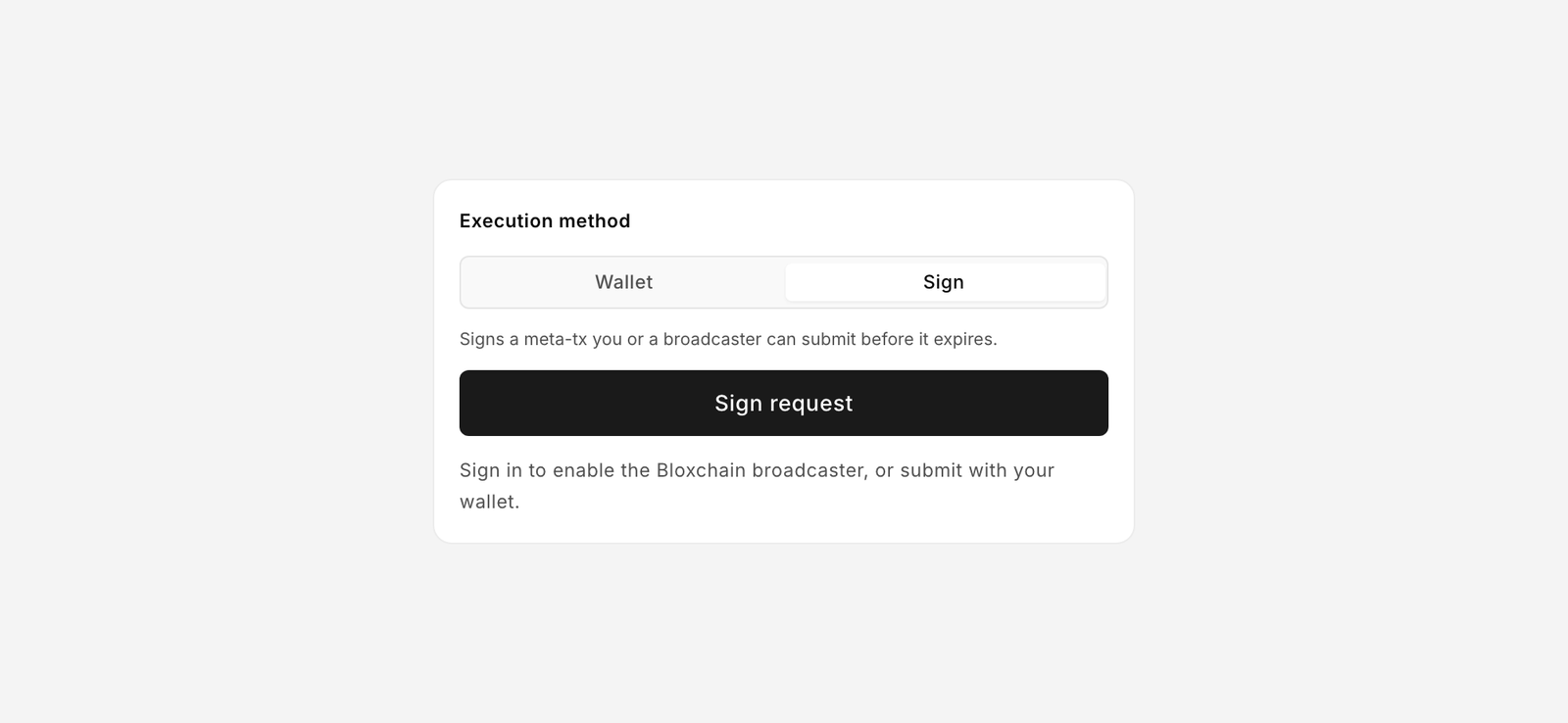
<figure><img src="https://2633730519-files.gitbook.io/~/files/v0/b/gitbook-x-prod.appspot.com/o/spaces%2F0GcVTQuj6X0G3RZ3YY7r%2Fuploads%2Fgit-blob-b74b4a4ccd97db6aac0474874f99f96554c911d0%2F44-wallet-sign-toggle.png?alt=media" alt="Wallet and Sign toggle in the Action summary" width="1000"><figcaption><p>The toggle only appears when the action allows both methods for your wallet.</p></figcaption></figure>

An action can be started in two ways. The owner decides which are enabled for the action, and your role decides which you may use.

|                | **Wallet**                                                                                                                                     | **Sign**                                                                                                                                                      |
| -------------- | ---------------------------------------------------------------------------------------------------------------------------------------------- | ------------------------------------------------------------------------------------------------------------------------------------------------------------- |
| What happens   | Your wallet sends a transaction that posts the request on-chain now. The time lock starts. An approver approves or cancels later in Approvals. | Your wallet signs a message (a meta-transaction). Nothing is on-chain yet. The signed transaction is stored in Approvals until a permitted wallet submits it. |
| Execution path | **Delayed release**                                                                                                                            | **One signature** (request and approval in a single signature)                                                                                                |
| Gas            | You pay gas now, and again at approval.                                                                                                        | Whoever submits pays gas.                                                                                                                                     |
| Expiry         | None. The request waits for approval or cancellation.                                                                                          | Yes. The summary shows "Meta-tx expires in 1h". After that the signature is worthless and must be redone.                                                     |
| Button         | **Submit request**                                                                                                                             | **Sign request**                                                                                                                                              |
| Who submits    | You                                                                                                                                            | You with an authorised wallet, a **Broadcaster**, or the optional **Bloxchain broadcaster**                                                                   |

The helper text under **Sign request** reads "Sign in to enable the Bloxchain broadcaster, or submit with your wallet." Signing in is optional: it adds a relay that submits the signed transaction for you. Without it, you or a broadcaster wallet submits from the **Approved** tab.

When only one method is available to you, the toggle is hidden and the card shows that method's button alone.

## What happens next

* **Wallet** → the request appears in [Approvals](/platform-guide/operate/approvals.md) on the **Pending** tab with state **Blocked** while the time lock runs, then **Ready**. An approver acts on it there. The Approvals badge on the rail counts it.
* **Sign** → the signed transaction appears on the **Approved** tab with an **Execute** button. Anyone with a wallet that may submit can execute it before it expires. You can also export it as a [signed file](/platform-guide/operate/signed-files.md) for another device.

Once executed, the operation moves to [History](/platform-guide/operate/history.md).

## Troubleshooting

| Message or symptom                                                                                             | Fix                                                                                                                                                                                                                                          |
| -------------------------------------------------------------------------------------------------------------- | -------------------------------------------------------------------------------------------------------------------------------------------------------------------------------------------------------------------------------------------- |
| "This wallet cannot start a request with Wallet or Sign for this function. Check roles or try another wallet." | Your wallet holds no role permitted at the Request step of this action. Ask an admin to add you under [Signers](/platform-guide/access/signers.md) or assign a role in [Manage permissions](/platform-guide/policies/manage-permissions.md). |
| Recipient dropdown is empty                                                                                    | No allowlisted recipients. Owner adds them under Allowlists.                                                                                                                                                                                 |
| Card says **Not configured**                                                                                   | For **Transfer**, the registered transfer operations still need permissions and an allowlist. For **Mint**, **Burn** or a custom card, the owner registers the function. Both start under [Actions](/platform-guide/policies/actions.md).    |
| Wallet prompts for a network switch                                                                            | Switch to the account's network (Sepolia). The footer shows **Switch to Sepolia**.                                                                                                                                                           |
| Transaction reverts                                                                                            | The action may be **Flow incomplete** (missing gate or allowlist). See [Help](/platform-guide/help.md), "Why did my request revert?"                                                                                                         |

## Related

* [Meta-transactions (Protocol)](/protocol-reference/api-reference/meta-transactions.md)


---

# Agent Instructions
This documentation is published with GitBook. GitBook is the documentation platform designed so that both humans and AI agents can read, navigate, and reason over technical content effectively. Learn more at gitbook.com.

## Querying This Documentation
If you need additional information that is not directly available in this page, you can query the documentation by asking a question.

Perform an HTTP GET request on the following URL with the `ask` and `goal` query parameters:

```
GET https://docs.bloxchain.app/platform-guide/operate/new-request.md?ask=<question>&goal=<user_goal>
```

`ask` is the immediate question: it should be specific, self-contained, and written in natural language.
`goal` is what the user is ultimately trying to achieve, the reason they need the answer. Sharing it helps GitBook give you a better, more relevant answer. A goal is most helpful when it describes the outcome the user wants rather than restating the question. For example, with `ask=how do I create an API token`, a goal like `automate deployments from our CI pipeline` lets GitBook tailor the answer to that use case.

The response will contain a direct answer to the question and relevant excerpts and sources from the documentation.

Use this mechanism when the answer is not explicitly present in the current page, you need clarification or additional context, or you want to retrieve related documentation sections.