> For the complete documentation index, see [llms.txt](https://docs.bloxchain.app/llms.txt). Markdown versions of documentation pages are available by appending `.md` to page URLs; this page is available as [Markdown](https://docs.bloxchain.app/platform-guide/accounts.md).
# Accounts
The Accounts page lists every smart account you track on this device or in your organization, and is where you import or deploy new ones.
**Where:** top bar → **Accounts** · **You need:** nothing to view; a connected wallet to deploy
## Header text by mode
| Mode | Header | Meaning |
| -------------------------- | ---------------------------------------------------------------------------------------------------------------- | ------------------------------------------------------------ |
| This device (signed out) | "Tracked and opened accounts on this device. Local-first and self-custodial." | The list is stored in this browser only. |
| Personal (signed in) | "Stored in this browser. Local-first and self-custodial — switch to a paid organization for a shared workspace." | Signing in does not move the list; it stays in this browser. |
| Organization (active plan) | "Organization accounts — open one to operate requests, policies, and security." | The list is shared with the organization (Cloud). |
| Organization (inactive) | "No accounts available. This organization is inactive until billing is settled." | Checkout has not completed. Residency reads **Cloud off**. |
## Empty state
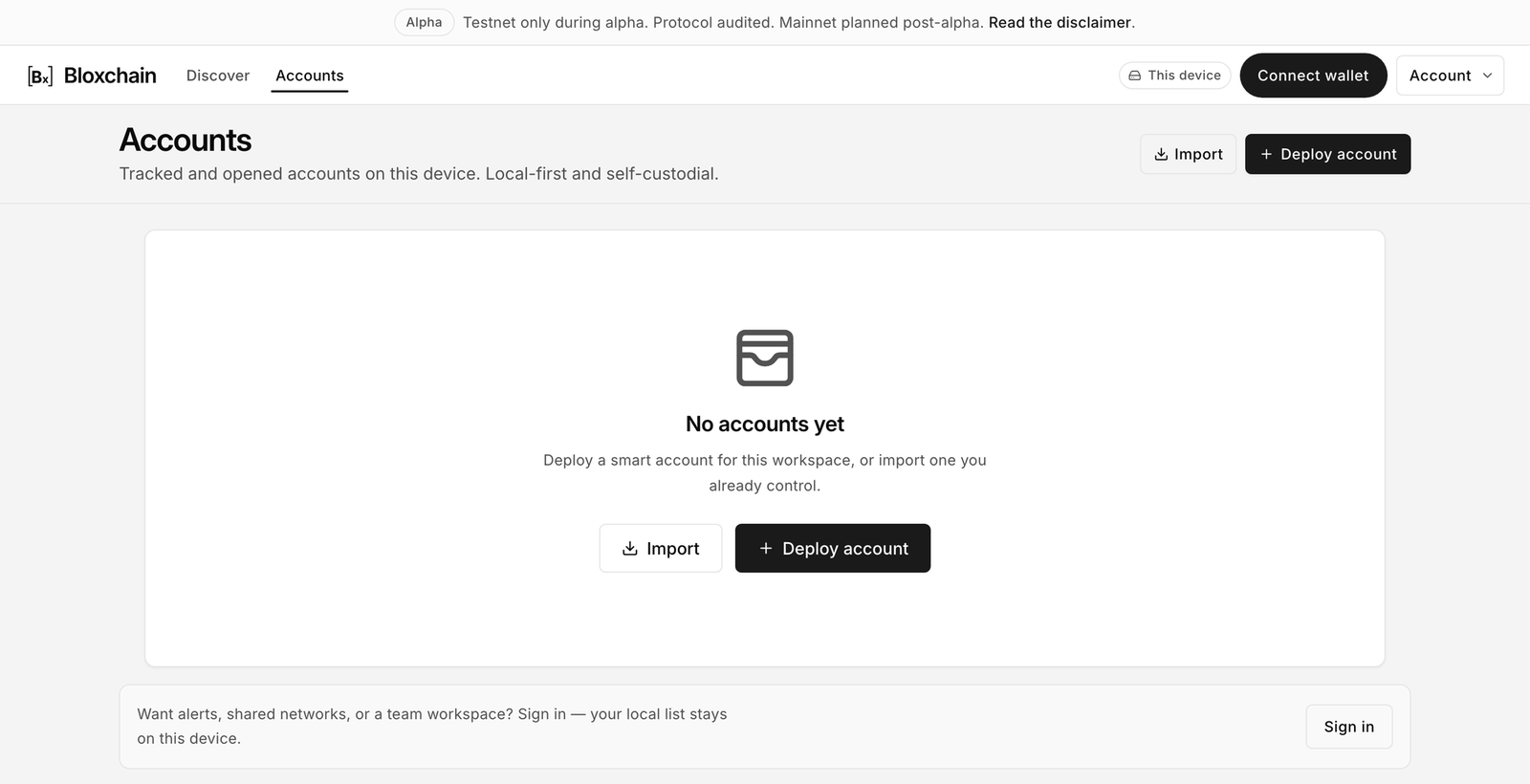
Accounts before you add anything.
A fresh device shows "No accounts yet" and "Deploy a smart account for this workspace, or import one you already control." Two buttons sit in the header:
* **Import** opens the Import Smart Account dialog for an account you already control. See [Import a smart account](/platform-guide/accounts/import.md).
* **Deploy account** opens the two-step Deploy Smart Account dialog. See [Deploy a smart account](/platform-guide/accounts/deploy.md).
## The list
Accounts with three accounts on this device.
| Column or control | What it shows |
| ------------------ | --------------------------------------------------------------------------------------------------------------- |
| **Account** | Account mark, display name, short address and a copy button. |
| **Balance** | Native balance on the account's network. |
| **Network** | The chain the account is deployed on, for example Sepolia. |
| **Last used** pill | Marks the account you opened most recently. Product Home redirects here once any account exists. |
| Trash icon | Removes the account from this device. Toast: "Removed from this device". The on-chain contract is not affected. |
| Chevron | Opens the account. |
Use **Search by name, address, or network…** to filter and the network chips to narrow by chain: **All**, **This network** (hidden until a wallet is connected) and a chip per other network you have accounts on, each with a count. **Show archived (N)** brings archived accounts into the list and becomes **Hide archived**. There is no grid or list toggle on this page; the layout is fixed.
## Account details
Open the drawer from inside an account with ⋯ More → **Account details**. Its heading reads "Name and listing for this account. Not stored on-chain." Everything in the drawer is off-chain: it changes how the account is listed on this device or in your organization, never the contract itself. Nothing here needs a wallet or a signature. To change on-chain settings such as Owner, Recovery or the time lock, use [Security](/platform-guide/policies/security.md).
The Account details drawer.
| Section | What it does |
| --------------------- | --------------------------------------------------------------------------------------------------------------------------------------------------------------------------------------------------------------------------- |
| **Account mark** | The emoji and accent colour shown next to the name on Accounts and in the switcher. **Edit** picks a different emoji and colour. Use distinct marks when you track several accounts. |
| **Display name** | The label you gave the account at import or deploy. Change it and select **Save name**. The helper reads "How this account appears on Accounts. Not stored on-chain." Names set on this device win when you merge a backup. |
| **Account identity** | **Network**, the **Smart account address** with a copy button, and **Export metadata**, which downloads the off-chain metadata for this one account: name, mark, network and address. |
| **Organization link** | In an organization space, **Archive** hides an account from the shared list and **Restore to Accounts** brings it back. Organization accounts only. |
| **Danger zone** | **Remove from this device**, or **Remove from organization** in an organization space. |
## Removing an account
Removing only edits the list on this device (or in the organization). Nothing happens on-chain. You can import the same address again at any time. To remove from inside an account, use ⋯ More → **Account details** → **Remove from this device**, where the helper reads "On-chain contracts are not affected."
## Opening an account
Click a row or the chevron. The account opens at Overview with the rail on the left, and the URL becomes `/workspace//`. See [Open and share an account](/platform-guide/accounts/open-and-share.md).
## Sign-in footer
Signed out, the page ends with "Alerts, shared networks and a team workspace come with an organization on Pro. Sign in to start or join one — your local list stays on this device." Signing in on its own adds no hosted service and does not move your list. Sign in if you have early access; otherwise join the waitlist from the same dialog.
{% hint style="warning" %}
Your list lives in this browser. Clearing site data removes it. Export a backup from [Settings → Backup](/platform-guide/settings/backup.md) so you can restore it.
{% endhint %}
---
# Agent Instructions
This documentation is published with GitBook. GitBook is the documentation platform designed so that both humans and AI agents can read, navigate, and reason over technical content effectively. Learn more at gitbook.com.
## Querying This Documentation
If you need additional information that is not directly available in this page, you can query the documentation by asking a question.
Perform an HTTP GET request on the following URL with the `ask` and `goal` query parameters:
```
GET https://docs.bloxchain.app/platform-guide/accounts.md?ask=&goal=
```
`ask` is the immediate question: it should be specific, self-contained, and written in natural language.
`goal` is what the user is ultimately trying to achieve, the reason they need the answer. Sharing it helps GitBook give you a better, more relevant answer. A goal is most helpful when it describes the outcome the user wants rather than restating the question. For example, with `ask=how do I create an API token`, a goal like `automate deployments from our CI pipeline` lets GitBook tailor the answer to that use case.
The response will contain a direct answer to the question and relevant excerpts and sources from the documentation.
Use this mechanism when the answer is not explicitly present in the current page, you need clarification or additional context, or you want to retrieve related documentation sections.