> For the complete documentation index, see [llms.txt](https://docs.bloxchain.app/llms.txt). Markdown versions of documentation pages are available by appending `.md` to page URLs; this page is available as [Markdown](https://docs.bloxchain.app/introduction/what-is-bloxchain.md).
# What is Bloxchain?
Bloxchain is a platform for governed blockchain operations. Operate with the Bloxchain Platform (bloxchain.app) or build with the open-source Bloxchain Protocol (smart contracts plus a TypeScript SDK). Both enforce the same on-chain policy: the Platform orchestrates, the chain enforces.
**Alpha · Local-first.** Official deployments are live on the 15 supported networks, in the Platform and in the Protocol. Your account list lives in your browser. The Protocol core is audited by Nethermind (NM\_0828), core framework scope. Custom extensions and your own configuration are not covered by that audit. See [Audit status](/security/audit-status.md).
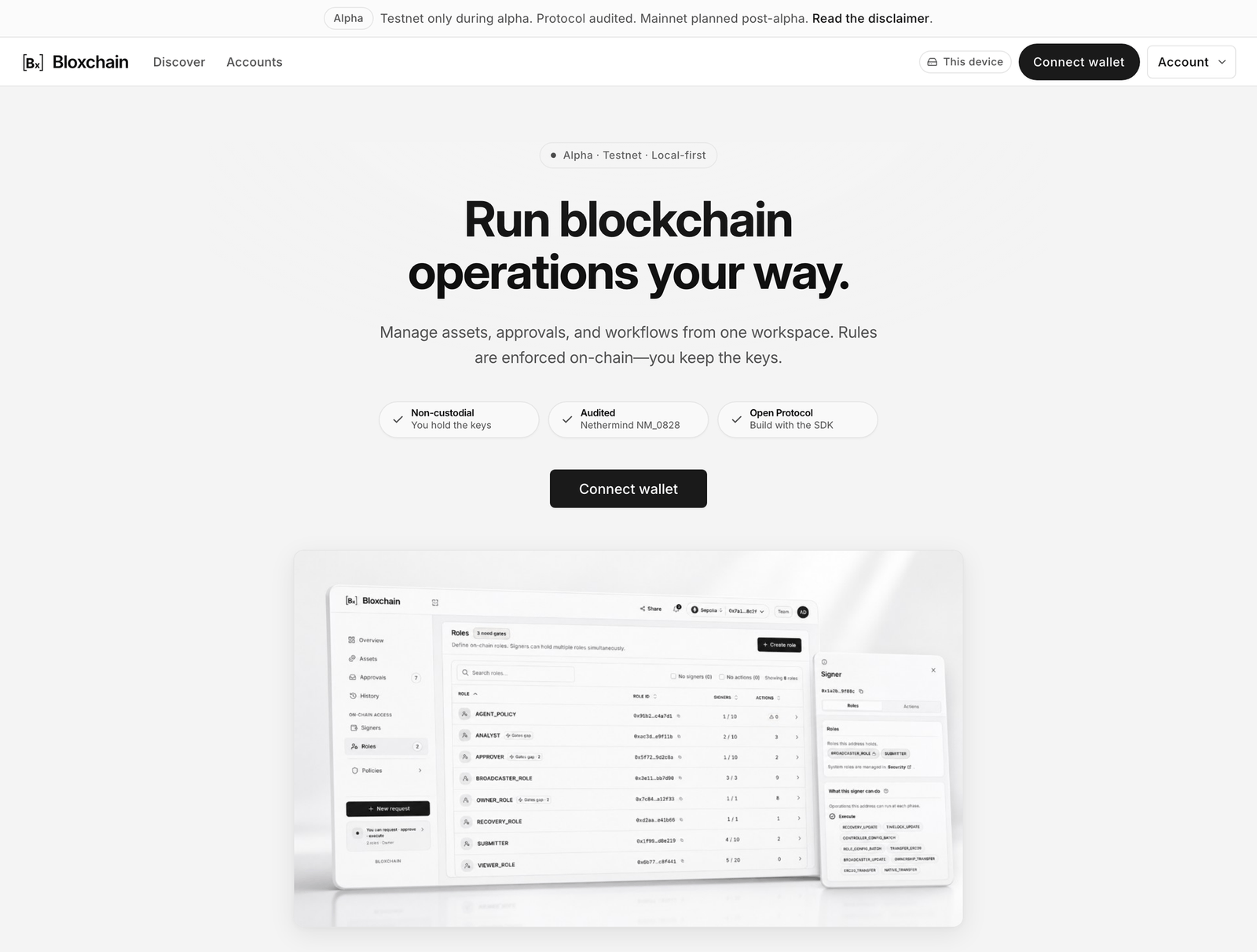
The Platform home page. Connect a wallet to start; no sign-in is required.
## Two ways to use it
| | Bloxchain Platform | Bloxchain Protocol |
| ------------------------ | -------------------------------------------------------------- | ------------------------------------------------------------------- |
| What it is | The hosted app at bloxchain.app | Open-source smart contracts and the `@bloxchain/sdk` TypeScript SDK |
| You use it to | Deploy, import and operate smart accounts without writing code | Build integrations, automations and custom deployments |
| Who holds the keys | You | You |
| Where rules are enforced | On-chain | On-chain |
The Platform never holds a key and never custodies assets. It reads on-chain state and submits the requests your wallet is allowed to make. If policy denies an action, the contract rejects it no matter which tool sent it. [Integration surfaces](/developers/integration-surfaces.md) helps you choose a surface.
## What a smart account is
A Bloxchain smart account is an on-chain contract you own. It holds assets (native currency and tokens) and executes actions only through governed requests. Every account has:
* Three protected roles set at deploy: **Owner** (controls the account and approves delayed requests), **Broadcaster** (one to three addresses that may submit signed transactions and pay gas) and **Recovery** (a fallback address that can take ownership in an emergency).
* A **time lock**: the minimum wait before a delayed request can be approved.
* Custom **roles**, the **signers** who hold them, the **actions** the account may perform, the **gates** that let a role run an action, and **allowlists** that restrict where value can go.
A freshly deployed account is a **Vault**: it holds assets but has no spending capability until you configure actions, permissions and allowlists. That is a finished, locked state, not an error. See [what a new account already has](/platform-guide/policies/actions.md#what-a-new-account-already-has). [How it works](/introduction/how-it-works.md) walks through the full lifecycle.
## Who it is for
**Individuals protecting funds.** Put savings behind a time lock so a transfer you did not mean can be cancelled while it is still waiting to settle, and keep a recovery address in case you lose your main wallet.
**Teams running a treasury or issuing assets.** Separate who may request, who may approve and who may execute. Every payment waits, is reviewed and is recorded on-chain. Mint, pause and admin changes follow the same rules for the life of the asset.
**Developers.** Deploy the same governed account from your own code, automate requests and approvals with the SDK, or extend the Protocol contracts for a custom deployment.
**AI agents.** The docs are written so an agent can read them as context and act through the SDK under the same on-chain policy as a person. See [For AI agents](/developers/for-ai-agents.md).
## Where to go next
| You are | Start here | Then |
| ----------------------------------- | ------------------------------------------------------------------ | ------------------------------------------------------------------------------------------------------------- |
| Protecting your own funds | [Quickstart: your first smart account](/get-started/quickstart.md) | [Personal security guide](/guides/personal-security.md) |
| Running a team treasury | [How it works](/introduction/how-it-works.md) | [Team treasury guide](/guides/team-treasury.md) and [Roles and permissions](/guides/roles-and-permissions.md) |
| Approving requests for someone else | [Approvals](/platform-guide/operate/approvals.md) | [Cross-device approval](/guides/cross-device-approval.md) |
| Integrating with code | [Developer quickstart](/get-started/developer-quickstart.md) | [Developers overview](/developers/developers.md) |
| Auditing the contracts | [Protocol overview](/protocol-reference/protocol.md) | [Security model](/security/security-model.md) |
## Related
* [Free, sign-in and organizations](/introduction/free-sign-in-organizations.md)
* [Supported networks](/introduction/supported-networks.md)
* [Glossary](/resources/glossary.md)
* [FAQ](/resources/faq.md)
---
# Agent Instructions
This documentation is published with GitBook. GitBook is the documentation platform designed so that both humans and AI agents can read, navigate, and reason over technical content effectively. Learn more at gitbook.com.
## Querying This Documentation
If you need additional information that is not directly available in this page, you can query the documentation by asking a question.
Perform an HTTP GET request on the following URL with the `ask` and `goal` query parameters:
```
GET https://docs.bloxchain.app/introduction/what-is-bloxchain.md?ask=&goal=
```
`ask` is the immediate question: it should be specific, self-contained, and written in natural language.
`goal` is what the user is ultimately trying to achieve, the reason they need the answer. Sharing it helps GitBook give you a better, more relevant answer. A goal is most helpful when it describes the outcome the user wants rather than restating the question. For example, with `ask=how do I create an API token`, a goal like `automate deployments from our CI pipeline` lets GitBook tailor the answer to that use case.
The response will contain a direct answer to the question and relevant excerpts and sources from the documentation.
Use this mechanism when the answer is not explicitly present in the current page, you need clarification or additional context, or you want to retrieve related documentation sections.